

 0
0 0
0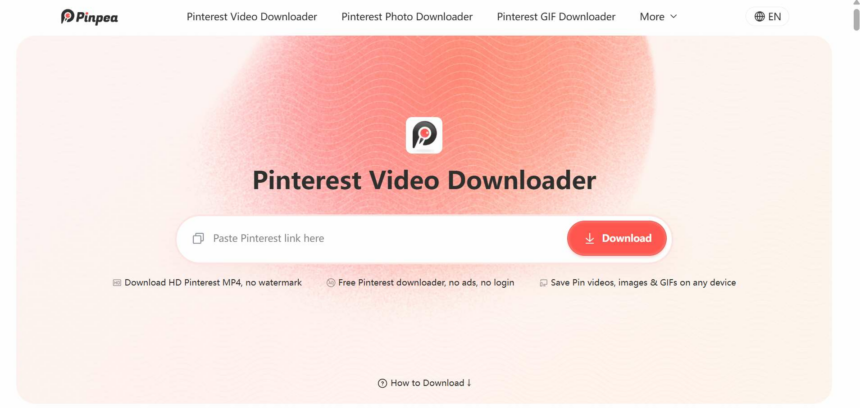
Pinterest does not give you a download button for regular video Pins. To save one, you will usually need a Pinterest video downloader. There are plenty of these tools online, but the differences become obvious once you actually use them. Some only download one video at a time, while others also work with GIFs, carousels, boards, and profiles. We looked at seven popular options and what each one can actually do.
1. Pinpea: Best Overall for Different Pinterest Link Types
Pinpea is the easiest one to recommend if the thing you dislike most about free download sites is the site itself. Its web downloader is completely ad-free: no pop-ups, no fake Download buttons and no ad page before the file. Pinpea also says it does not keep a download history or use download activity for advertising tracking.
It is broader than a basic video downloader too. Along with public videos and images, Pinpea handles animated Pins, so you do not need to switch to a separate Pinterest GIF downloader when you come across a GIF. It also supports carousels, Idea Pins, boards, profiles, Pinterest Answers links, multi-Pin share links, pin.it short URLs and Pinterest links from different country domains. That wider link support is useful because links copied from the Pinterest app do not always look like links copied on desktop.
Another useful detail is the preview. Pinpea shows the video and cover before you save the file, so you can check that the right Pin was found instead of downloading first and checking later.
How to Download a Pinterest Video with Pinpea
Step 1. Copy the public Pinterest video link
On desktop, open the video Pin and copy the full URL from the browser address bar. On mobile, open the Pinterest app, tap Share > Copy link, and use the pin.it short URL as-is.
Step 2. Paste the link into Pinpea
Open Pinpea in your browser and paste the link into the input box. You can use the Paste button or paste manually; Pinpea starts fetching the available media automatically.
Step 3. Preview and save the video
In a few seconds, preview the video to make sure it is the right Pin, then download the MP4 and save the cover image if you want. On Android, the file usually goes to Downloads and may appear in Gallery. On iPhone, Safari normally saves it to Files > Downloads first.
You do not need the Pinpea app for this. The web version works on Android, iPhone and desktop. Frequent Android users can optionally install the Pinpea app and send supported Pins to it through the Android Share menu, which removes the copy-paste step.
The main limits are straightforward: Pinpea only works with public Pinterest content, and video quality depends on what Pinterest actually provides. If Pinterest exposes 1080p, the downloader cannot turn that into genuine 4K. This makes Pinpea a good fit for people who want a clean page and regularly paste more than one kind of Pinterest link.
2. PinDown.me: Best for Large Boards and Profiles
PinDown.me has a much clearer reason to choose it: batch size. Its current board and profile tools say they can process up to 100 public Pins in one request and provide a Save All option. If you have a large public recipe board, design collection or profile archive, that matters more than a few extra format buttons.
It also supports individual videos, images, GIFs, Idea Pins and Story Pins, plus pin.it links and regional Pinterest domains. For multi-page content, the service says it can return publicly available video pages, images and covers instead of stopping at the first item.
A separate Pinterest-to-MP3 tool is another real difference. If a public Pin contains audio and you only need the sound, PinDown.me gives you a route that most Pinterest downloaders do not. If the audio comes from TikTok instead, a dedicated TikTok to MP3 tool is more direct. For one ordinary video it may be overkill, but for boards, profiles and larger collections it is one of the more practical options.
3. KlickPin: Best for More Pinterest Link Types
KlickPin is useful when you regularly copy links that are not simple single Pins. Its current web tools cover public boards, profiles, carousels, Pinterest Ideas pages, Answers links, multi-Pin sharing links and pin.it URLs in addition to normal videos and images.
For supported boards and profiles, KlickPin says it can return up to 50 available Pins per request. That is less than PinDown.me’s 100-Pin allowance, but still enough for many medium-sized collections.
KlickPin also offers an Android app and a Chrome extension, although neither is required for the web downloader. The trade-off is that its web pages contain advertising, so users who care most about a completely clean interface may prefer Pinpea. On quality, KlickPin follows the sensible rule: 2K or 4K is only available when Pinterest actually provides a source at that resolution.
4. PintSave: Best for One Pin at a Time
PintSave is almost the opposite of PinDown.me. It does not try to download an entire board or profile. It expects one public Pin or one pin.it link, then returns the available video, image or GIF.
That narrow scope is actually its main strength. There is less ambiguity about what the tool is for, and its site is unusually clear about unsupported URLs: board links, profile links and multi-Pin pages need to be opened at the individual Pin level first.
PintSave also publishes dated test information for different media types, including MP4 video Pins, image Pins, GIFs and pin.it redirects. That is useful because Pinterest does not expose the same resolutions for every Pin. If your normal workflow is simply open one Pin, copy the link and save the file, PintSave keeps the process focused.
5. SnapDownloader: Best for Several Social Platforms
SnapDownloader is a better fit for people who save media from more than Pinterest. Its Pinterest tool automatically tries to return the best available file rather than making you choose from a long list of quality buttons each time. Videos are normally returned as MP4, while images use the available source resolution. Animated Pins may come back as looping MP4 files because Pinterest often stores them that way.
The wider site also covers Instagram, TikTok, Facebook, X, Snapchat and LinkedIn, together with tools for audio extraction and thumbnails.
SnapDownloader also offers an optional Android app with sharing features. Its weak point here is collection support: it is better suited to individual Pinterest links than complete board or profile URLs.
6. PinSavePro: Best for Direct CDN Files and Thumbnails
PinSavePro focuses more on how the media is delivered. The service says it fetches files directly from Pinterest’s CDN instead of re-hosting them on its own servers, and it says it avoids pop-up, redirect and aggressive ad networks.
It also splits Pinterest tasks into separate tools instead of forcing everything through one page. There are dedicated options for videos, images, animated Pins, Idea Pins, Story Pins, thumbnails and higher-resolution media. The thumbnail tool is especially useful if what you actually want is the clean cover image rather than the video itself.
PinSavePro is careful about format claims too. Some Pinterest animations are served as looping MP4 files, so it may return MP4 rather than promise a .gif for every animated Pin. Likewise, if Pinterest only exposes the cover or primary media of an Idea Pin to signed-out visitors, PinSavePro does not claim it can bypass that restriction.
7. MediaDrop: Best for a Simple Video Download
MediaDrop has the narrowest Pinterest pitch in this list, and that can be a good thing. Its Pinterest tool is mainly aimed at public video Pins: paste a standard Pinterest video URL or supported pin.it link and save the available video.
There are no large board-management features to learn and no need to decide between several collection modes. The downloader works in a browser on phones, tablets and computers without requiring a Pinterest login or software installation.
The wider MediaDrop site covers other social platforms too, but its Pinterest page is noticeably more video-focused than Pinpea, PinDown.me or KlickPin. If your whole requirement is one public video now and then, that simplicity may be enough. If you want boards, profiles or mixed collections, choose one of the broader tools above.
How We Chose These Pinterest Downloaders
This is an editorial comparison based on the services’ current public product pages, documented link support, stated limits and available web or app workflows. We focused on differences that can change which tool makes sense for a real user: whether it stays usable without an account, which Pinterest URLs it accepts, whether it handles collections, how it treats source quality, and whether an app or extension is optional.
That is different from pretending every product went through one identical laboratory test. Downloader behavior can also change when Pinterest changes its link formats or media delivery, so limits and supported link types are worth checking again if you are reading this much later.
FAQ
Do I need a Pinterest account to download a public video?
No. A browser-based downloader can work from the public Pin URL, so it should not need your Pinterest username, password or account authorization. Pinterest’s own Save button is different: it bookmarks a Pin to your account rather than downloading the media file to your device.
Can I download a private Pinterest video without login?
No. Private Pins and secret boards require Pinterest permission. Pasting the URL into a separate downloader does not transfer your logged-in access. Be cautious with any site that asks for your Pinterest password to “unlock” private content.
Which Pinterest downloader is best for an entire board?
For larger public boards, PinDown.me stands out because it currently advertises up to 100 Pins per request. Pinpea and KlickPin also support public board or profile links, while PintSave is designed for individual Pins rather than full collections.
Can Pinterest downloaders save 1080p or 4K video?
Only when Pinterest provides that resolution for the Pin. A downloader can retrieve available source versions, but it cannot create missing detail. If Pinterest only exposes a 1080p file, enlarging it does not make it genuine 4K.
Can I download Pinterest GIFs without login?
Yes, when the Pin is public and the downloader supports that media type. The output can vary because some Pinterest animations are stored as actual GIFs while others are served as looping MP4 videos.
Conclusion
If you only save one standard Pinterest video occasionally, several tools here can do the basic job. The useful differences appear when you care about ads, boards, profiles, unusual Pinterest links or batch size. Pinpea is the best-balanced choice for an ad-free browser experience and broad link support; PinDown.me is stronger for large public collections; and PintSave is a good fit when you only want one Pin at a time. Pick the tool that matches the links you actually copy, not the one with the longest feature list.